Emulating Topology
Network Builder IDE offers a convenient way to test your network apps. The topology emulator is as blueprints-based UI for Docker and supports direct inter-container connections with several link types:
- Virtual Ethernet Pair (veth)
- Vhost-User
- MemIf
After the installation, you will find several examples inside the ~/packetcord/ide/examples/topology_examples directory.
Opening the topology file
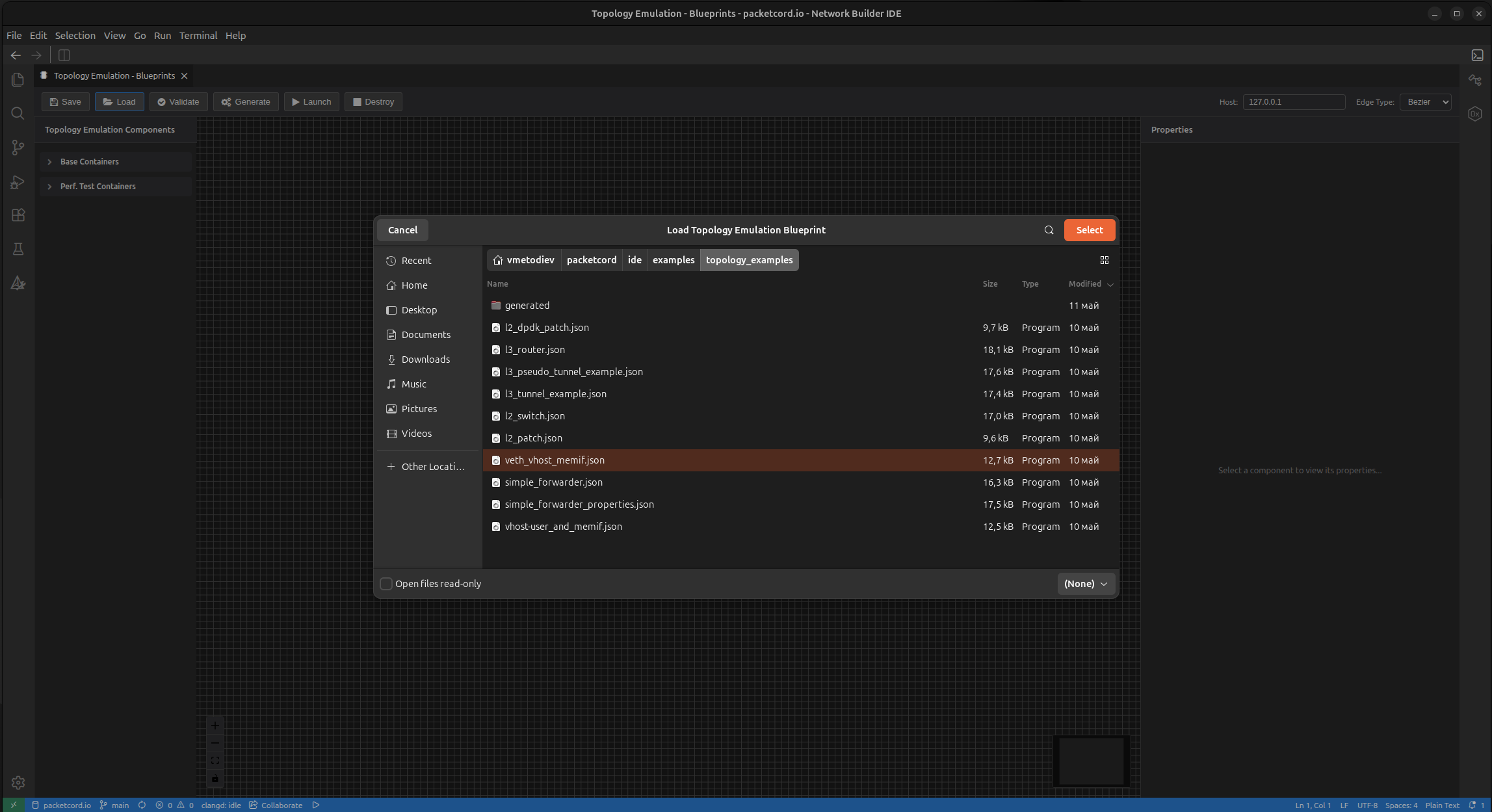
Start the Network Builde IDE. Go to View --> Integration --> Topology Emulation --> Blueprints Builder and use the Load button to open the topology project file. As presented on the below screenshot, we choose the veth_vhost_memif.json as it comprises all interfaces types, thus serves as a wonderful getting-started example.
Validating the topology
Click the Validate button and observe the message on right bottom corver of your screen.
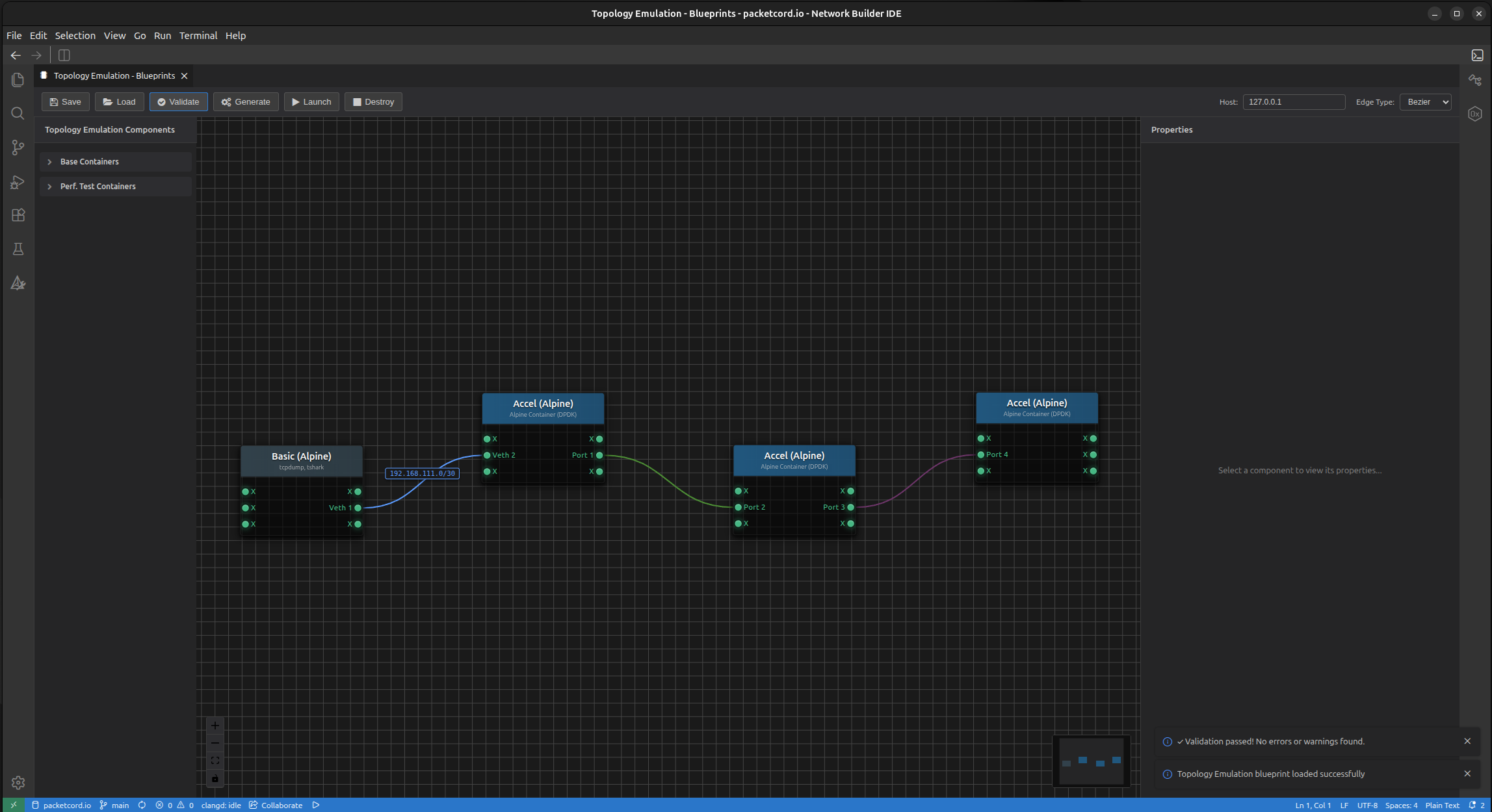
You can explore the properties panel to get accustomed to the overall functionality of the emulator and the available options.
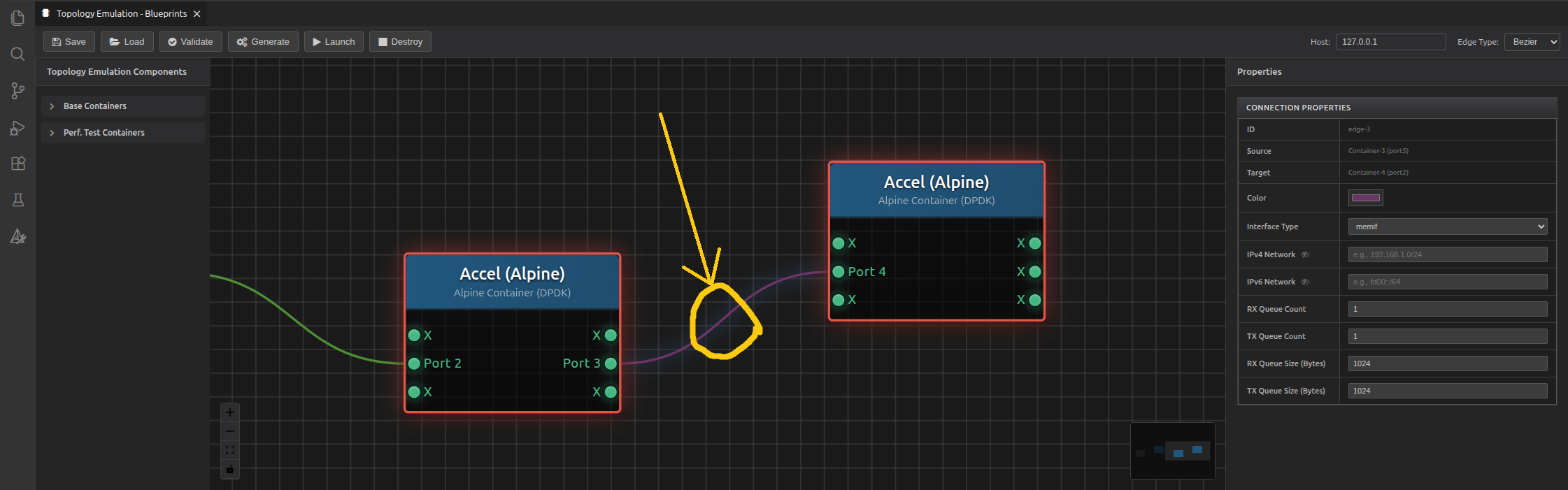
To change the link type, left click on the edge connecting two nodes:
To change the port properties, right click inside the circle indicating the port:
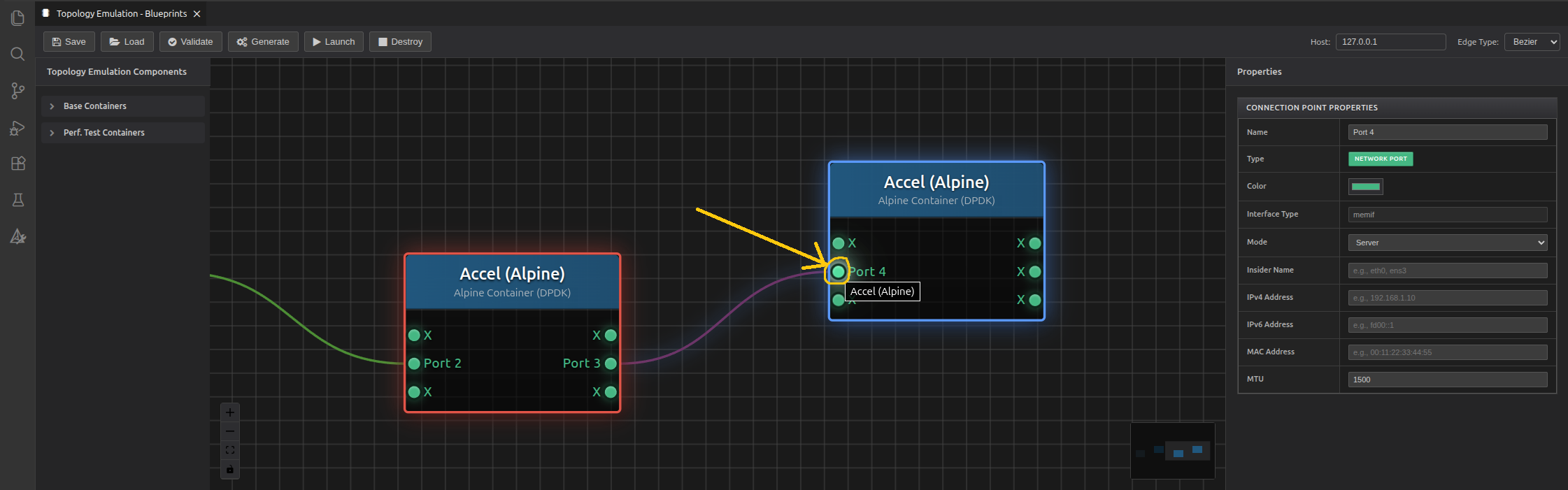
Note: Recommended naming convetion for the ports is Veth X (for veth) or Port X (for memif and vhost_user) - without duplication of X. Position of the port entries could be changed from the 2nd section of the properties panel (Connection Points).
Generating the topology
Click the Generate button to "compile" the topology - this yields a shell script. Observe the message on right bottom corver of your screen.
Launching the topology
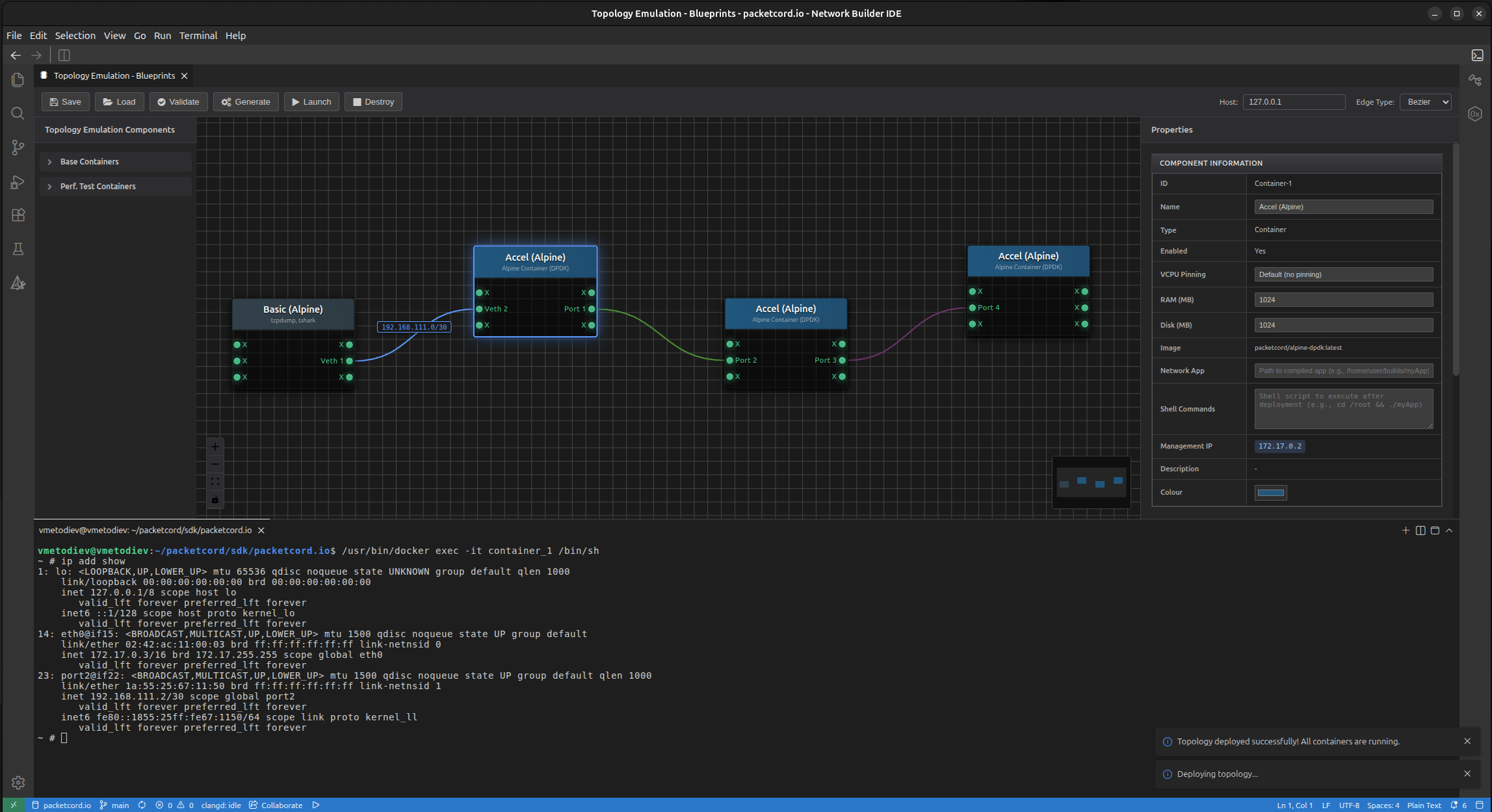
Click the Launch button to instantiate the topology. After successful deployment, you can start using the container nodes.
Accessing the shell of a specific node
To open a shell to a node, right click on it and select Open Shell.
Destroying the topology
To stop the emulation and destroy all containers, click the Destroy button. It will stop only the instances. The container images are still there for furher use from this or any other topology project.
Further steps
Refer to the next section with examples, where we demonstrate different network functions inside this emulation environment.