eBPF Virtual Patch (single-thread)
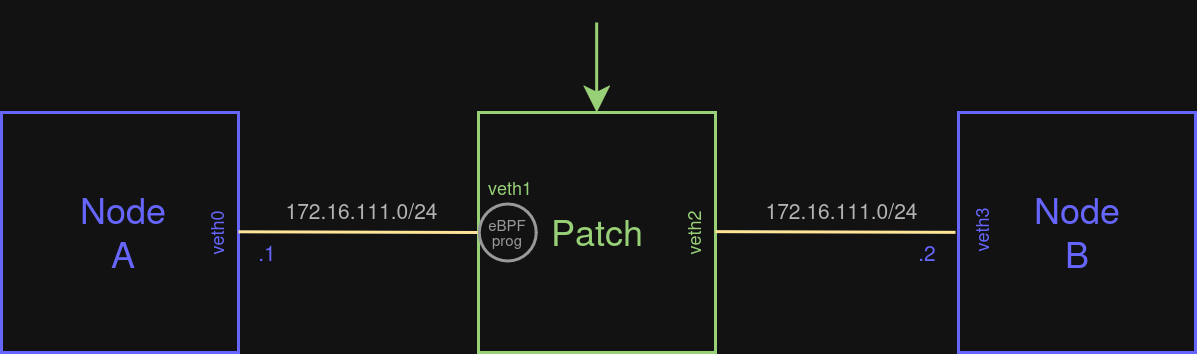
A demonstration of a virtual patch between two nodes with an attached eBPF programme on one of the interfaces. Communication between kernel and user space is also included in this example via a BPF ring buffer.
- GitHub Link: https://github.com/packetcord/packetcord.io/tree/main/apps/l2_patch_ebpf
- Topology File: topology_examples/l2_dpdk_patch.json
Topology diagram
Steps
Build the project (all examples)
cd packetcord.io
mkdir build
cd build
cmake -DENABLE_EBPF=ON .. --fresh
make
Start the topology
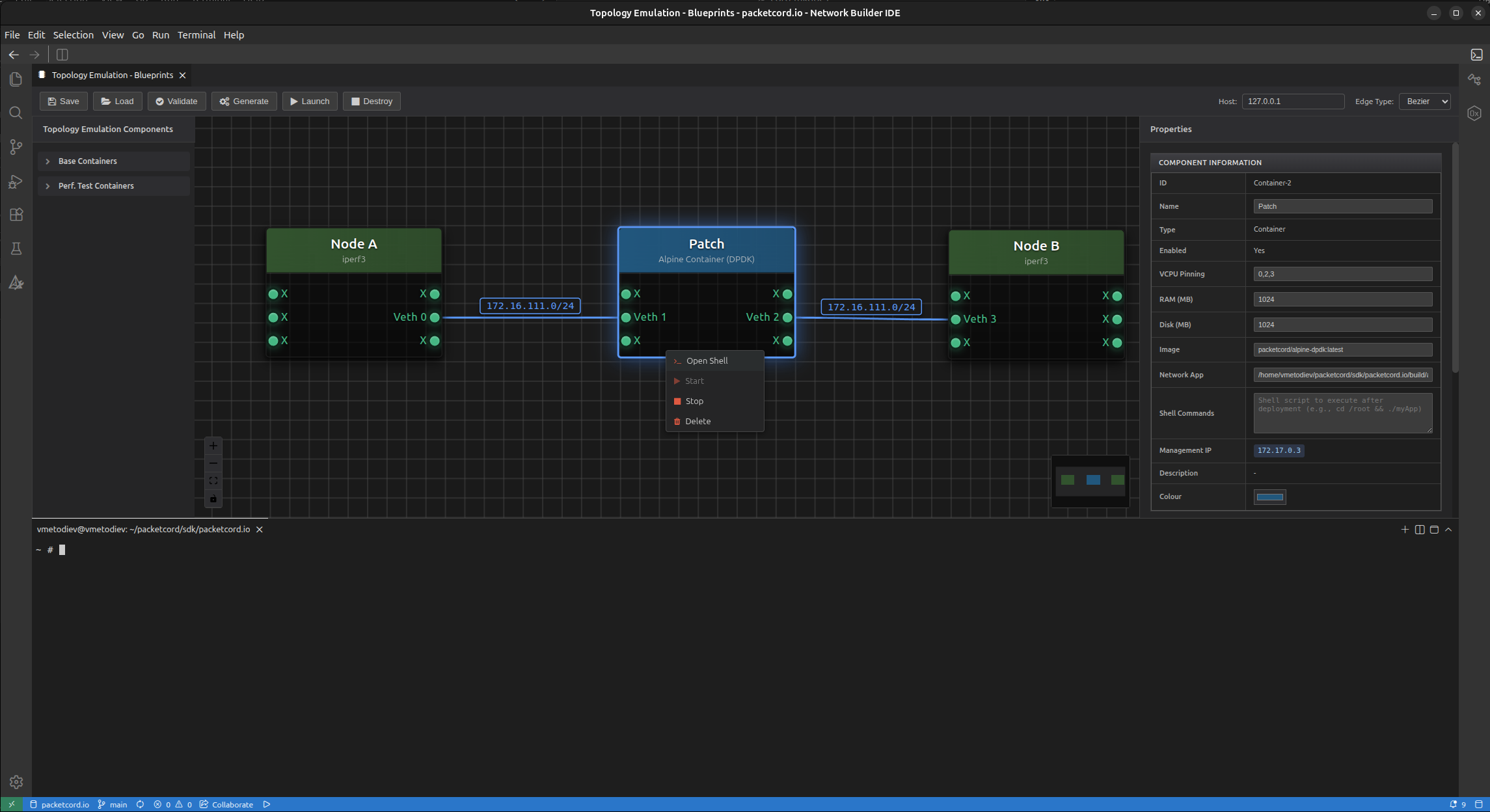
Load the exampe topology project file.
Then, left click on the Patch container. Inside the Properties panel, set the Network App field to point to the location of the app: /home/ubuntu/packetcord/sdk/packetcord.io/build/apps/l2_patch_ebpf/l2_patch_ebpf_app
Save the file (overwrite or select new filename and/or new location), Validate, Generate and Launch the topology and open the container shell.
Next, we need to manually compile and copy the eBPF programme from the local file system to the container.
# Compile the eBPF C code into BPF bytecode using Clang
clang -g -O2 -target bpf -c l2_patch_ebpf.bpf.c -o l2_patch_ebpf.bpf.o

# Generate the user-space skeleton header from that bytecode
bpftool gen skeleton l2_patch_ebpf.bpf.o > l2_patch_ebpf.skel.h

# Copy to the container (container name is `container_2` in the below command)
docker cp l2_patch_ebpf.bpf.o container_2:/root/
Inside the Patch container, run the following commands:
# Check if BPF FS is mounted
cat /proc/mounts | grep 'bpf'

# If not, mount the BPF FS
mount -t bpf bpf /sys/fs/bpf

# Run the example
cd /root
./l2_patch_ebpf_app
Result
Open the shells of Node A and Node B. Try to ping each other (172.16.111.1 and 172.16.111.2).
PING 172.16.111.2 (172.16.111.2): 56 data bytes
64 bytes from 172.16.111.2: seq=0 ttl=64 time=0.182 ms
64 bytes from 172.16.111.2: seq=1 ttl=64 time=0.377 ms
64 bytes from 172.16.111.2: seq=2 ttl=64 time=0.340 ms
64 bytes from 172.16.111.2: seq=3 ttl=64 time=0.169 ms
Let's also run iperf3 between Node A and Node B:
On Node B
iperf3 -s
On Node A
iperf3 -c 172.16.111.2
Connecting to host 172.16.111.2, port 5201
[  5] local 172.16.111.1 port 34008 connected to 172.16.111.2 port 5201
[ ID] Interval           Transfer     Bitrate         Retr  Cwnd
[  5]   0.00-1.00   sec   107 MBytes   894 Mbits/sec  140   89.1 KBytes
[  5]   1.00-2.00   sec   112 MBytes   937 Mbits/sec  131   90.5 KBytes
[  5]   2.00-3.00   sec   111 MBytes   933 Mbits/sec  144   96.2 KBytes
[  5]   3.00-4.00   sec   110 MBytes   925 Mbits/sec  137    100 KBytes
[  5]   4.00-5.00   sec   110 MBytes   927 Mbits/sec  136    126 KBytes
[  5]   5.00-6.00   sec   112 MBytes   944 Mbits/sec  166   93.3 KBytes
[  5]   6.00-7.00   sec   111 MBytes   931 Mbits/sec  118   94.7 KBytes
[  5]   7.00-8.00   sec   112 MBytes   935 Mbits/sec  119   91.9 KBytes
[  5]   8.00-9.00   sec   104 MBytes   869 Mbits/sec  111   90.5 KBytes
[  5]   9.00-10.00  sec   111 MBytes   930 Mbits/sec  120   93.3 KBytes
- - - - - - - - - - - - - - - - - - - - - - - - -
[ ID] Interval           Transfer     Bitrate         Retr
[  5]   0.00-10.00  sec  1.07 GBytes   923 Mbits/sec  1322            sender
[  5]   0.00-10.00  sec  1.07 GBytes   922 Mbits/sec                  receiver
Terminate
Use the Destroy button to terminate the emulation.